Cara Mendaftarkan Blog ke Alexa

Selasa, 09 Oktober 2012

Pada posting kali ini saya akan berbagi sedikit tutorial untuk mendaftarkan blog ke alexa. Alexa adalah sebuah web informer terbesar yang memberikan audit seputar rangking blog ataupun website kita di Internet. Semakin tinggi trafik blog atau website kita dengan unique visitor (pengunjung baru), maka akan semakin tinggi pula ranking blog/website kita (semakin tinggi, maksudnya angkanya lebih kecil).

Dengan membuat blog kita terdaftar di alexa, kita bisa melihat audit blog kita, apalagi jika kita membeli pro listing yang disediakan oleh alexa. Semakin tinggi juga rangking kita di alexa, maka akan semakin baik reputasi blog kita di mata dunia dan para penggemar blog anda.

Berikut adalah cara cara untuk mulai mendaftarkan blog ke Alexa :
1.  Masuk ke alexa.com,
2.  Klik pada Tab “Site Tools”,
3.  Lalu Klik “Claim Your Site”,
4.  Masukkan url blog/website anda, kemudian klik 'Claim your site'.
4.  Jika kita belum memiliki akun di alexa.com, kita akan di arahkan ke halaman dimana kita harus log in atau mendaftar. Untuk proses pendaftaran yang lebih praktis, apabila kita memiliki akun facebook, kita tinggal log in dengan akun facebook tersebut,
5.  Setelah kita selesai maka kita akan masuk ke halaman verifikasi, maksudnya adalah untuk kita membuktikan bahwa situs tersebut adalah milik kita.
6.  Terdapat dua cara untuk memverifikasi claim situs di alexa, yaitu dengan cara mengupload file verifikasi atau menambahkan meta tag verifikasi. Untuk kita yang menggunakan hosting sendiri, seperti wordpress, kita bias menggunakan cara pertama yaitu mengupload file verifikasi. Namun, untuk kita para pengguna blogspot, kita bisa memverifikasi situs kita menggunakan cara yang kedua yaitu menambahkan meta verifikasi.
7.  Caranya, copy kode verifikasi yang ada disebelah kanan. Contohnya seperti :

<meta content='JGO1haDdVdXr5tMYrJKGNk9ngnQ' name='alexaVerifyID'/>
8.  Setelah kita copy mete verifikasinya, buka edit html pada blog kita. Letakan di antara kode <head> dan </head>, setelah selesai, simpan template. Tidak perlu khawatir tampilan blog menjadi rusak karena meta key tidak akan mengganggu template.
9.  Sekarang kita kembali lagi ke halaman alexa, apabila kita sudah selesai menambahkan meta verifikasi, klik “Verify my meta tag” Jika sudah berhasil maka akan ada informasi bahwa claim situs anda berhasil dari alexa.

Mungkin sekian dulu posting untuk cara mendaftarkan blog ke alexa, bagi kita yang memiliki rangking yang kecil di alexa pun (kalau kecil angkanya besar) tak usah berkecil hati. Kita masih bisa untuk meningkatkan rangking kita di alexa. Justru dengan melakukan claim situs di alexa, akan membantu alexa untuk lebih serius mengaudit situs kita. Sekian, dan Terima kasih.

Read more...

Tugas 1 - ANALISIS KINERJA SISTEM

Senin, 08 Oktober 2012

SOAL :
1. Overview Alat kinerja system
2. Test Benchmark dengan Alat Kinerja Sistem

1. OVERVIEW
Alat Kinerja Sistem

Istilah kinerja (performance) mengacu pada pelayanan yang disediakan oleh orang atau mesin
untuk siapapun yang memerlukannya. Suatu sistem pemroses informasi adalah sekumpulan komponen
perangkat keras dan perangkat lunak yang memiliki kemampuan untuk memproses data melalui
program-program yang ditulis. Dengan demikian istilah kinerja untuk suatu sistem yang memproses
informasi adalah merupakan fasilitas-fasilitas yang dapat tersedia untuk dimanfaatkan yang meliputi
bahasa pemrograman, utiliti yang digunakan untuk mendesain dan pengembangan program, utiliti
pemrosesan, feature untuk memperbaiki kegagalan dan sebagainya.
Kinerja (performance) terdiri dari indeks-indeks yang dapat melambangkan kemudahan,
kenyamanan, kestabilan, kecepatan dan lain-lain. Setiap indeks memiliki kuantitas dan kemudian
menjadi obyek evaluasi. Suatu indeks performance dapat dievaluasi dengan berbagai cara, antara lain :
• Dapat diukur (measured)
• Dapat dihitung (calculated)
• Dapat diperkirakan (estimated)
Disini saya akan melakukan pengukuran kinerja system melalui suatu alat atau software, diantara
nya adalah xampp atau biasa disebut web server (local), disini akan di ujikan dengan suatu link (alamat
url ke suatu website yang terkoneksi dengan layanan internet) yaitu www. Detik.com dengan
menggunakan script command line fitur yang ada di apache itu sendiri yaitu ab ( apache benchmark ),
selain menggunakan alat ukur kinerja system disini juga saya akan menjelaskan alat atau device apa
yang akan di test, adapun hardware yang akan di uji kinerja sistemnya adalah sebuah PC dengan
beberapa komponen di dalamnya yaitu berupa Os windows xp sp3,Cpu Intel(R) Core(TM) i5-2300 CPU @
2.80GHz, 2796 MHz, Memory 4 Gb, Motherbood ecs.

Berikut adalah capture atau screenshoot dari alat ukur yang di uji :
1. Xampp : Aplikasi web server (localhost)


2. Xampp Control Panel : Tools untuk menjalan service yang di butuhkan oleh
apache


3. Everest : Aplikasi untuk mereview hardware yg ada di PC

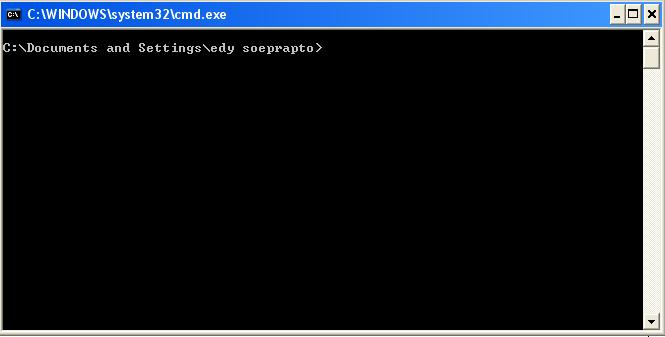
4. Command Prompt : Tool Command Line berbasis Dos untuk menulis command
line pada window (Test ab “apache benchmark”)


2. Performance Benchmarks a Webserver
You can benchmark Apache, IIS and other web server with apache benchmarking tool called ab.
Recently I was asked to performance benchmarks for different web servers.
It is true that benchmarking a web server is not an easy task. From how to benchmark a web
server:
First, benchmarking a web server is not an easy thing. To benchmark a web server the time it will
take to give a page is not important: you don't care if a user can have his page in 0.1 ms or in 0.05 ms as
nobody can have such delays on the Internet.
What is important is the average time it will take when you have a maximum number of users on
your site simultaneously. Another important thing is how much more time it will take when there are 2
times more users: a server that take 2 times more for 2 times more users is better than another that
take 4 times more for the same amount of users."
Apache Benchmark Procedures
1. You need to use same hardware configuration and kernel (OS) for all tests
2. You need to use same network configuration. For example, use 100Mbps port for all tests
3. First record server load using top or uptime command
4. Take at least 3-5 readings and use the best result
5. After each test reboot the server and carry out test on next configuration (web server)
6. Again record server load using top or uptime command
7. Carry on test using static html/php files and dynamic pages
It also important to carry out test using the Non-KeepAlive and KeepAlive (the Keep-Alive extension to
provide long-lived HTTP sessions, which allow multiple requests to be sent over the same TCP
connection) features.

For example if you want to send 100 request, type following command;
Ab -n 100 -c 10 http://203.190.241.43/

explan :
Ab : Apache Benchmark
-n 100 : ab will send 100 number of requests to server
203.190.241.43 in order to perform for the benchmarking
session
-c 10 : 10 is concurrency number i.e. ab will send 10 number of
multiple requests to perform at a time to server
203.190.241.43
http://203.190.241.43/ : IP website www.detik.com

Run Command on desktop computer and type following command:
C:\Program Files\xampp\apache\bin>ab -n 100 -c 10
http://203.190.241.43/
This is ApacheBench, Version 2.3 <$Revision: 1373084 $>
Copyright 1996 Adam Twiss, Zeus Technology Ltd,
http://www.zeustech.net/
Licensed to The Apache Software Foundation,
http://www.apache.org/
Benchmarking 203.190.241.43 (be patient).....done
Server Software: nginx/1.2.2
Server Hostname: 203.190.241.43
Server Port: 80
Document Path: /
Document Length: 151 bytes
Concurrency Level: 10
Time taken for tests: 31.359 seconds
Complete requests: 100
Failed requests: 93
(Connect: 0, Receive: 0, Length: 93, Exceptions: 0)
Write errors: 0
Non-2xx responses: 28
Total transferred: 2493872 bytes
HTML transferred: 2472018 bytes
Requests per second: 3.19 [#/sec] (mean)
Time per request: 3135.938 [ms] (mean)
Time per request: 313.594 [ms] (mean, across all
concurrent requests)
Transfer rate: 77.66 [Kbytes/sec] received
Connection Times (ms)
min mean[+/-sd] median max
Connect: 78 305 212.7 234 1094
Processing: 109 2660 2423.3 1828 10375
Waiting: 109 958 648.9 797 2938
Total: 313 2965 2467.8 2109 10938
Percentage of the requests served within a certain time (ms)
50% 2109
66% 2766
75% 3609
80% 5531
90% 6891
95% 8313
98% 10547
99% 10938
100% 10938 (longest request)
C:\Program Files\xampp\apache\bin>


Read more...

CARA MENGHAPUS AKUN BLOGSPOT


Begini caranya :
  • Masuk ke Blogger.com, gunakan username dan password akun yang akan di hapus.
  • Masuk ke dasboard, pilih blog yang ingin anda hapus dan klik pengaturan (Setting)
  • Klik Hapus Blog
  • Akan tetapi, blog Anda tidak akan langsung terhapus, masih bisa di restore lagi, supayaterhapus  tunggu beberapa hari sampai google benar-benar menghapus dan akan hilang dari daftar blog anda.
  • Sekian, mudah kan

Read more...

Bahasa Indonesia 1 - Tugas 1

Sabtu, 06 Oktober 2012

1. Jelaskan dengan contoh “ Penggunaan Bahasa Indonesia secara baik dan benar “!

Jawab :

Penggunaan Bahasa Indonesia Yang Baik dan Benar

Berbahasa Indonesia dengan baik dan benar” dapat diartikan pemakaian ragam bahasa yang serasi dengan sasarannya dan di samping itu mengikuti kaidah bahasa yang betul. Ungkapan “bahasa Indonesia yang baik dan benar” mengacu ke ragam bahasa yang sekaligus memenuhi persyaratan kebaikan dan kebenaran. Bahasa yang diucapkan bahasa yang baku.

Berbahasa Indonesia dengan baik dan benar mempunyai beberapa konsekuensi logis terkait dengan pemakaiannya sesuai dengan situasi dan kondisi. Pada kondisi tertentu, yaitu pada situasi formal penggunaan bahasa Indonesia yang benar menjadi prioritas utama. Penggunaan bahasa seperti ini sering menggunakan bahasa baku. Kendala yang harus dihindari dalam pemakaian bahasa baku antara lain disebabkan oleh adanya gejala bahasa seperti interferensi, integrasi, campur kode, alih kode dan bahasa gaul yang tanpa disadari sering digunakan dalam komunikasi resmi. Hal ini mengakibatkan bahasa yang digunakan menjadi tidak baik.

Misalkan dalam pertanyaan sehari-hari dengan menggunakan bahasa yang baku Contoh :

Apakah kamu ingin menyapu rumah bagian belakang ?
Apa yang kamu lakukan tadi?
Misalkan ketika dalam dialog antara seorang Guru dengan seorang siswa
Pak guru : Rino apakah kamu sudah mengerjakan PR?
Rino : sudah saya kerjakan pak.
Pak guru : baiklah kalau begitu, segera dikumpulkan.
Rino : Terima kasih Pak

Kata yang digunakan sesuai lingkungan sosial

Contoh lain dari pada Undang-undang dasar antara lain :

Undang-undang dasar 1945 pembukaan bahwa sesungguhnya kemerdekaan itu ialah hak segala bangsa dan oleh sebab itu penjajahan diatas dunia harus dihapuskan karena tidak sesuai dengan perikemanusiaan dan perkeadilan.

Dari beberapa kalimat dalam undang-undang tersebut menunjukkan bahasa yang sangat baku, dan merupakan pemakaian bahasa secara baik dan benar.

Contoh lain dalam tawar-menawar di pasar, misalnya, pemakaian ragam baku akan menimbulkan kegelian, keheranan, atau kecurigaan. Akan sangat ganjil bila dalam tawar -menawar dengan tukang sayur atau tukang becak kita memakai bahasa baku seperti ini.

(1) Berapakah Ibu mau menjual tauge ini?
(2) Apakah Bang Becak bersedia mengantar saya ke Pasar Tanah Abang dan berapa ongkosnya?

Contoh di atas adalah contoh bahasa Indonesia yang baku dan benar, tetapi tidak baik dan tidak efektif karena tidak cocok dengan situasi pemakaian kalimat-kalimat itu. Untuk situasi seperti di atas, kalimat (3) dan (4) berikut akan lebih tepat.

(3) Berapa nih, Bu, tauge nya?
(4) Ke Pasar Tanah Abang, Bang. Berapa?

Misalkan perbedaan dari bahasa indonesia yang benar dengan bahasa gaul

Bahasa Indonesia Bahasa Gaul (informal)

Aku, Saya Gue
Kamu Elo
Di masa depan kapan-kapan
Apakah benar? Emangnya bener?
Tidak Gak
Tidak Peduli Emang gue pikirin!

Dari contoh diatas perbedaan antara bahasa yang baku dan non baku dapat terlihat dari pengucapan dan dari tata cara penulisannya. Bahasa indonesia baik dan benar merupakan bahasa yang mudah dipahami, bentuk bahasa baku yang sah agar secara luas masyarakat indonesia berkomunikasi menggunakan bahasa nasional. Contoh pada

“Kami, putra dan putri Indonesia menjunjung bahasa persatuan, bahasa Indonesia”, demikianlah bunyi alenia ketiga sumpah pemuda yang telah dirumuskan oleh para pemuda yang kemudian menjadi pendiri bangsa dan negara Indonesia. Bunyi alenia ketiga dalam ikrar sumpah pemuda itu jelas bahwa yang menjadi bahasa persatuan bangsa Indonesia adalah bahasa Indonesia. Kita sebagai bagian bangsa Indonesia sudah selayaknya menjunjung tinggi bahasa Indonesia dalam kehidupan sehari-hari.

Paragraph dibawah ini cuplikan gaya bahasa yang dipakai sesuai dengan EYD dan menggunakan bahasa baku atau bahasa ilmiah bukan kata popular dan bersifa objektif, dengan penyusunan kalimat yang cermat.

Dalam paradigma profesionalisme sekarang ini, ada tidaknya nilai informative dalam jaring komunikasi ternyata berbanding lurus dengan cakap tidaknya kita menulis. Pasalnya, selain harus bisa menerima, kita juga harus mampu memberi. Inilah efek jurnalisme yang kini sudah menyesaki hidup kita. Oleh karena itu, kita pun dituntut dalam hal tulis-menulis demi penyebaran informasi. Namun persoalannya, apakah kita peduli terhadap laras tulis bahasa kita. Sementara itu, yakinilah, tabiat dan tutur kata seseorang menunjukkan asal-usulnya, atau dalam penegasan lain, bahasa yang kacau mencerminkan kekacauan pola pikir pemakainya. Buku ini memperkenalkan langkah-langkah pragmatic yang Anda perlukan agar tulisan Anda bisa tampil wajar, segar, dan enak dibaca.

2. Berikanlah contoh fungsi bahasa sebagai alat komunikasi !

Jawab :

Fungsi Bahasa Sebagai alat komunikasi

Sebagai alat komunikasi, bahasa merupakan saluran perumusan maksud kita, melahirkan perasaan kita dan memungkinkan kita menciptakan kerja sama dengan sesama warga. Ia mengatur berbagai macam aktivitas kemasyarakatan, merencanakan dan mengarahkan masa depan kita (Gorys Keraf, 1997 : 4). Komunikasi merupakan akibat yang lebih jauh dari ekspresi diri. Komunikasi tidak akan sempurna bila ekspresi diri kita tidak diterima atau dipahami oleh orang lain.

Pada saat kita menggunakan bahasa sebagai alat komunikasi, kita sudah memiliki tujuan tertentu. Kita ingin dipahami oleh orang lain. Kita ingin menyampaikan gagasan dan pemikiran yang dapat diterima oleh orang lain. Kita ingin membuat orang lain yakin terhadap pandangan kita. Kita ingin mempengaruhi orang lain. Lebih jauh lagi, kita ingin orang lain membeli atau menanggapi hasil pemikiran kita. Jadi, dalam hal ini pembaca atau pendengar atau khalayak sasaran menjadi perhatian utama kita. Kita menggunakan bahasa dengan memperhatikan kepentingan dan kebutuhan khalayak sasaran kita.

Pada saat kita menggunakan bahasa untuk berkomunikasi, antara lain kita juga mempertimbangkan apakah bahasa yang kita gunakan laku untuk dijual. Oleh karena itu, seringkali kita mendengar istilah “bahasa yang komunikatif”. Misalnya, kata makro hanya dipahami oleh orang-orang dan tingkat pendidikan tertentu, namun kata besar atau luas lebih mudah dimengerti oleh masyarakat umum..Dengan kata lain, kata besar atau luas,dianggap lebih komunikatif karena bersifat lebih umum. Sebaliknya, kata makro akan memberikan nuansa lain pada bahasa kita, misalnya, nuansa keilmuan, nuansa intelektualitas, atau nuansa tradisional.

Contohnya : Kata griya, misalnya lebih sulit dipahami dibandingkan kata rumah atau wisma. Dengan kata lain, kata besar, luas, rumah, wisma, dianggap lebih komunikatif karena bersifat lebih umum.


Read more...

AIDA64 ( Benchmark GUI )

Knowledge Base

  1. What is the difference between AIDA64 Extreme Edition and AIDA64 Business Edition?
    AIDA64 Business Edition is for business use, targeting corporate, government and medical markets. AIDA64 Extreme Edition is for home use. AIDA64 Business Edition includes unique features for network audit, remote control and SQL database connection. AIDA64 Extreme Edition includes unique features for benchmarking and overclocking.
  2. What report formats supported by AIDA64 Business Edition and AIDA64 Extreme Edition?
    AIDA64 Business Edition supports standard text, HTML, MHTML (HTML with images), XML, CSV, MIF (for Microsoft SMS), INI reports and direct report insertion to SQL databases. AIDA64 Extreme Edition supports only standard text, HTML and MHTML report formats.
  3. Is it possible to create reports automatically using command-line options?
    Only AIDA64 Business Edition supports command-line options. List of them can be reviewed in main menu / Help / Command-line Options. Full list of command-line options with explanation is available in the AIDA64 Manual. Using command-line options it is possible to create reports with custom layout in any of the supported report formats. Created reports can be saved to file, inserted to SQL database, sent in e-mail or uploaded to a FTP server.
  4. Is it possible to use AIDA64 without an installation procedure?
    AIDA64 is available in ZIP compressed package that can be simply extracted to an empty folder. No installation procedure required at all.
  5. Is it necessary to install AIDA64 on all workstations in the network, in order to make a network audit of all networked computers?
    No distribution for AIDA64 files is necessary, and also it's not recommended at all. Instead, AIDA64 files can be copied to a file server into a shared folder that would provide access to AIDA64 files to all network users. AIDA64 then can be launched from any computers using a shortcut like:
    \\server\share\aida64folder\aida64.exe
    As a further step, the command-line could be extended with network audit options, and then it could be added to the users logon script that would be executed at the logon of each network user.
    Example:
    \\server\share\aida64folder\aida64.exe /R \\server\share\reportsfolder\$HOSTNAME /AUDIT /CSV /SAFE /SILENT
    Full list of command-line options with explanation is available in the AIDA64 Manual.
  6. Is it possible to remove debug information from reports?
    The options to enable/disable debug information, report header, report footer are available in main menu / File / Preferences / Report.
  7. By using either the main menu / Remote / Connect to Remote Computer, main menu / Remote / Monitor Remote Computers or main menu / Report / Remote Report Wizard feature, AIDA64 fails to connect to the remote computer(s) with "Error 10061: Connection refused" error message. How to solve this?
    It is not possible to connect to remote computer(s) without running AIDA64 on both the local and the remote computer(s). Installation procedure is not mandatory, but at least AIDA64 should be automatically launched from the users logon script using a command-line like:
    \\server\share\aida64folder\aida64.exe /ACCEPTBG /SAFE /SILENT
    The /ACCEPTBG command-line option automatically enables the main menu / Remote / Accept Incoming Remote Connections feature that will enable the connections from remote computers. Full list of command-line options with explanation is available in the AIDA64 Manual.
  8. AIDA64 seems to lock up (or cause BSoD) on a couple of computers during the network audit process. How to avoid the crash?
    The /SAFE command-line option could be used to disable several of AIDA64 low-level features -- in most cases this could eliminate all issues. Alternatively the /SAFEST command-line option could be used to completely disable all AIDA64 low-level features.
  9. Is it possible to launch AIDA64 from a CD-ROM disc, DVD-ROM disc, Blu-ray disc, or flash drive?
    It is fully supported. AIDA64 files can be simply extracted from the ZIP package and burnt to a CD/DVD/BD disc, or copied to a DVD-RAM disc or flash drive.
  10. Why is the information provided by the Computer / DMI page inaccurate?
    The reliability and accuracy of DMI information depends on the manufacturer of the motherboard or the computer (when a brand computer). When vendors do not take the time to fill in the DMI tables properly, all applications reading DMI will indicate the same wrong information. This is not the fault of AIDA64.
  11. Is it possible to use AIDA64 on 64-bit Windows systems based on 64-bit AMD Opteron, AMD Phenom, Intel Core 2, Intel Core i3/i5/i7, Intel Xeon processors?
    AIDA64 implements full support for 64-bit systems, including 64-bit version of all its benchmark methods. Benchmarks are backwards compatible with legacy 32-bit processors.
  12. Does AIDA64 support Windows Vista, Windows Server 2008, Windows 7 or Windows PE?
    AIDA64 has full support for all current 32- and 64-bit PC Windows systems including Windows 95, Windows 98, Windows Me, Windows NT 4.0, Windows 2000, Windows XP, Windows Server 2003, Windows XP 64-Bit Edition, Windows XP x64 Edition, Windows Vista, Windows Server 2008, Windows 7 and Windows PE.
  13. Is there an AIDA64 version running under DOS, Mac OS, Linux or UNIX?
    AIDA64 supports Microsoft Windows systems only.
  14. During the network audit process, some computers fail to insert reports to the SQL database. How to fix those computers up?
    In most cases the generated .ADO file contains information about the actual issue. In the case it is about improper MDAC version, the MDAC (Microsoft Data Access Components) should be updated to the latest version. MDAC 2.80 is available for download at: http://download.com.com/3000-2404-10040711.html
  15. With AIDA64 is it possible to gather specific information stored in the Windows Registry, a text file, an INI file or an environment variable?
    Custom Variables feature is available to do that. It can be configured in main menu / File / Preferences / Summary, at the bottom of the page.
  16. Is it possible to run AIDA64 completely hidden?
    The /SILENT command-line option can be used to hide AIDA64 icon on the System Tray (also known as Notification Area) including the bubble shown on specific events under Windows.
    The /ACCEPTBG command-line option can be used to launch AIDA64 hidden in the background and make it stay in the memory and wait for incoming remote connections.
    Full list of command-line options with explanation is available in the AIDA64 Manual.
  17. How to determine the firmware version of optical drives and hard disk drives?
    Firmware version of optical drives and SCSI hard disk drives is displayed on the Storage / ASPI page. Firmware version of ATA and SATA hard disk drives is displayed on the Storage / ATA page.
  18. What does the "Aux" temperature shown on the Computer / Sensor page mean?
    There is no standard for sensor registers layout, so the "Aux" temperature could show the temperature of the CPU or the motherboard, or might be a non-connected wire of the sensor chip, and so it could show a bogus value.
  19. What does the "CPU Diode" temperature shown on the Computer / Sensor page mean?
    "CPU" temperature means the temperature measured around the CPU socket, whereas "CPU Diode" temperature means the temperature of the CPU core.
  20. The temperature, voltage or fan rotation values on the Computer / Sensor page are inaccurate. For example, a bogus "Aux" temperature is displayed with a nonsense value; or the CPU and motherboard temperatures are reversed; or the -5V or -12V lines display a completely off positive value. How to make the sensor values more accurate?
    Unfortunately there is no standard for sensor chip registers layout, hence in several cases the registers layout that AIDA64 uses could fail to be accurate. In such cases please contact us through the AIDA64 Discussion Forum, under the "Hardware Monitoring" forum. When you open the new topic, please make sure to indicate the version number of AIDA64 you're using, the model of your motherboard; and also copy-paste the full content of the Computer / Sensor page into the new topic you open.
  21. When starting AIDA64 it locks up the computer while it displays "Scanning PCI devices". How can this be avoided?
    Create a new text file (e.g. using Notepad) in the AIDA64 folder, name it: "AIDA64.INI". Write the following 2 lines into the new file:
    [Generic]
    LowLevelPCI=0
  22. Is it possible to change the delimiter character of CSV reports from comma to another character?
    It is not possible with AIDA64.
  23. Is it possible to find out the product key of Office 97 or Office 2000?
    AIDA64 license module is capable of detecting product key of Office XP, Office 2003 and Office 2007 only.
  24. What is the difference between AIDA64 Business Edition and AIDA64 Extreme Engineer?
    AIDA64 Business Edition includes unique features for network audit, remote control and SQL database connection. AIDA64 Business Edition doesn’t have benchmarking capabilities, and its licensing is tied to a number of computers forming a corporate network. AIDA64 Extreme Engineer includes unique features for benchmarking, overclocking and system diagnostics. An AIDA64 Extreme Engineer license is not tied to a network or computers, but to one person (engineer). An AIDA64 Extreme Engineer license can be used on an unlimited number of computers, but only by a single engineer.
  25. Other software (e.g. CoreTemp, HWMonitor) show different core temperatures than AIDA64. Is it possible to adjust the core temperatures on an Intel CPU to match what other software measure?
    Modern Intel processors use DTS on-die temperature sensing diode to provide core temperature measurement. AIDA64 fully complies to the latest Intel DTS Specifications, and uses the TJMax values published by Intel. With DTS the measured core diode temperatures are relative to a TJMax temperature value, which is specific to a particular CPU model & stepping. By adjusting TJMax, it is possible to adjust the measured core temperatures in both directions. The TJMax value AIDA64 uses can be changed in main menu / File / Preferences / Hardware Monitoring.
  26. What is the maximum operational temperature for a CPU, motherboard, video adapter, or hard disk drive?
    Most modern processors work best while running below 70 Celsius, but will not fail or break below 80-90 Celsius. Modern Intel processors use a special hardware logic to prevent overheating: they throttle themselves down to prevent physical damage, and they shut the computer down automatically when even via throttling the CPU keeps getting too hot. Most motherboards can work stable while running below 50 Celsius, and physical damage will usually not occur until 60 Celsius. Modern video card GPUs can work up to 100-110 Celsius, and supplied with a video driver that implements overheating protection. Most hard disk drives work best below 50 Celsius, and they are rated to work stable below 60 Celsius. With hard disks data integrity is not guaranteed anywhere beyond 60 Celsius.
  27. Is it possible to display SMART information for an external hard disk drive (e.g. WD MyBook), or for a hard disk drive placed in an external disk enclosure?
    Not all USB, eSATA, or FireWire disk enclosures support SMART readout. But out of the ones that do implement that feature, AIDA64 supports most of them. In the case you can find one that is supported by other monitoring software (e.g. HD Sentinel), but unsupported by AIDA64, please contact us through the AIDA64 Discussion Forum, under the "Hardware Monitoring" forum.
  28. Is it possible to display SMART information and measure disk temperature for RAID arrays?
    SMART information (including disk temperature measurement) for RAID array member drives can be displayed for 3ware, Areca, HighPoint RocketRAID 26xx, Intel, JMicron, and LSI MegaIDE RAID controllers. Other RAID controllers either do not have a driver that makes SMART readout possible, or they are not supported by AIDA64. Starting from AIDA64 v1.70, RAID SMART support is disabled by default. To enable SMART support for RAID arrays, you need to go to AIDA64 / main menu / File / Preferences / Stability, and enable the option "RAID SMART support" there.
  29. My virus scanner has found a malicious file that belongs to AIDA64. Is it possible the AIDA64 distribution package is infected by a virus, trojan, or adware?
    We scan all AIDA64 files we upload to our web site for viruses and other malware. Our files are 100% free of any malware or adware. In the case a security solution fires an alarm about AIDA64, then it is advised to remove AIDA64 from the computer, and download the latest version from our web site (www.aida64.com). It is also important to update the security software to its latest version, since there have already been numerous occasions when anti-virus products fired false alarms about AIDA64 files in the past.
  30. What is MCP temperature? Is it normal that it is over 80 Celsius?
    MCP is part of nVIDIA chipsets, and stands for Media and Communications Processor. It is a computer component that is designed to operate at very high temperatures. 80-90 Celsius is normal temperature for MCPs.

    Download Here
    aida64

Read more...

Tugas Interaksi Manusia dan Komputer

Kamis, 04 Oktober 2012


1. Jaringan Sematik


2. Frame

 3. Script


Ujian Mandiri (UM)
Jalur (Track)           : Universitas Gunadarma
Peran (Roles)         : Mahasiswa/i, Pengawas Ujian
Pendukung (Prop) : Daftar Ujian, Voucher Ujian, Absen, Kursi, PC Komputer, Soal, Kertas HasilUM.
Kondisi Input         : Mahasiswa ikut ujian mandiri pasti Harus Daftar dan punya Voucher UM


Scene 1 : DAFTAR


a.  Mahasiswa/i daftar ujian untuk mata kuliah tertentu yang akan di uji kan.
b.  Mahasiswa/i membayar dengan sejumlah uang untuk tiap mata kuliah yg di uji kan
c. Mahasiswa/i mendapatkan voucher untuk setiap mata kuliah yg di uji dan sudah mendapatkan kapan waktu ujiannya.


Scene 2 : MASUK


a. Mahasiswa/i parkir sepeda motor, mobil atau tidak menggunakan tempat parkir karena tidak punya kendaraan
b. Mahasiswa masuk ke ruang ujian sesuai yang ada di voucher ujian
c. Mahasiswa duduk di kursi yang sudah di siapkan
d. Mahasiswa/i menunggu perintah dari pengawas


Scene 2 : ABSEN


a. Dosen Pengawas memanggil sesuai nama yang ada di Lembar Absen


Scene 3 : UJIAN


a. Mahasiswa/i mengerjakan soal ujian yang ada di layar komputer dengan bantuan alat input keyboard untuk menuliskan jawaban di system.
b. Mahasiswa/i dilarang membawa atau mencontek dalam bentuk apap pun, dan jika terjadi dan sampai pengawas ujian mengetahui, mahasiswa/i tersebut di berikan sangsi tidak dapat mengikuti ujian tersebut pada hari itu dan langsung di keluarkan dari ruang ujian.


Scene 4 : SELESAI UJIAN


a. Mahasiswa/i langsung dapat mengetahui dan mangambil hasil ujian mata kuliah tersebut  dalam bentuk print out
b. Mahasiswa/i dapat meninggalkan kelas dengan hasil yang telah di ujikan.


Scene 5 : HASIL


a. Mahasiswa puas dan senang
b. Mahasiswa tidak puas dan mengulang ujian kembali (Beli Voucher Lagi)


Read more...